Announcement: My eQuals has a new website! Learn more about it here.

Release Notes 2.6.4
Release 2.6.4 has been successfully deployed to your Production environment.
This release is focused on enhancements and fixes to the platform. These changes will not affect any existing features, functionality, or configurations except where specified.
Enhancements for the Learner Portal
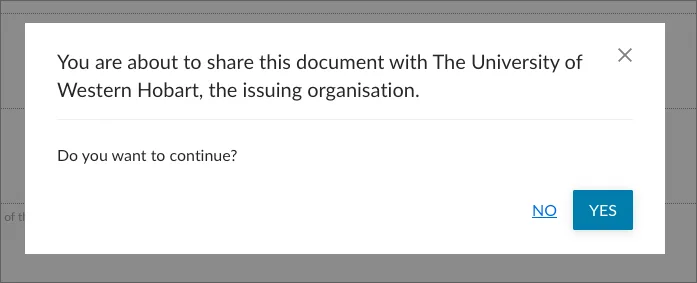
New guidance when sharing documents with the issuing Institution
The document sharing experience has been enhanced to help prevent unnecessary shares between learners and the institutions that originally issued their documents. When a learner attempts to share a document with the institution that issued it, a warning message will now be displayed before the share is created. The learner can choose to cancel the share or proceed with the share. This enhancement helps learners make informed decisions and reduces unnecessary document shares for both learners and institutions.
Enhancements for the Organisation Portal
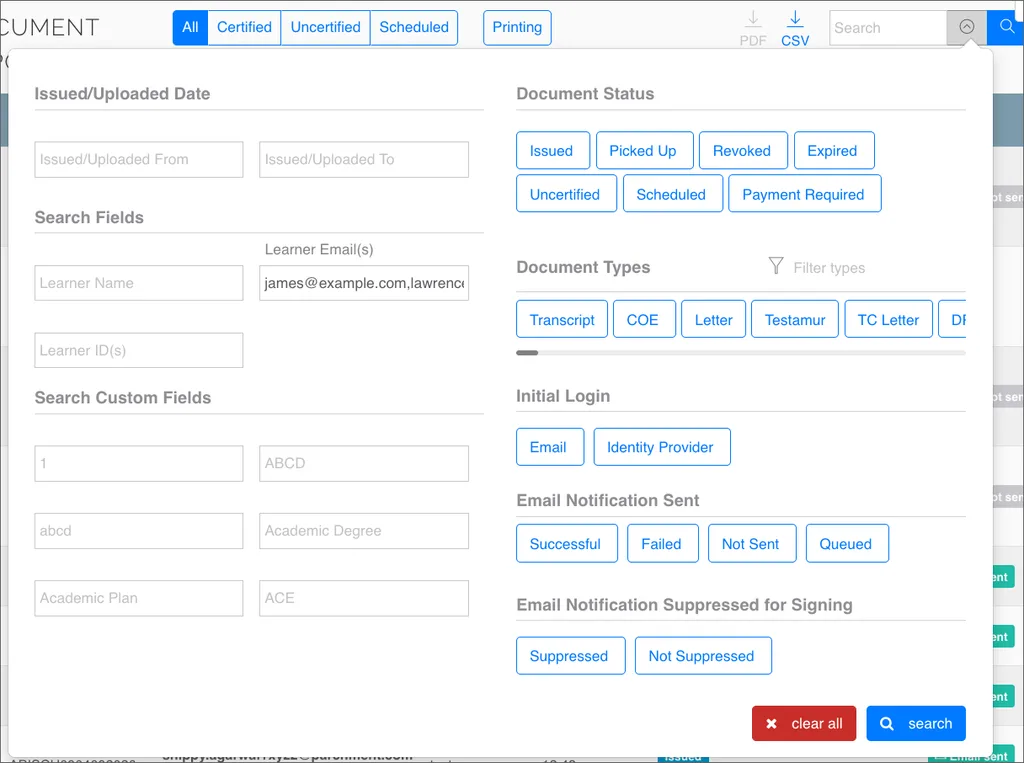
Document searches by multiple email addresses
The document search functionality has been enhanced to allow users to search for multiple learner email addresses at the same time by entering comma-separated values. This enhancement replaces the previous single-email search approach with a more efficient batch search, allowing institutions to retrieve multiple learner records in a single action.
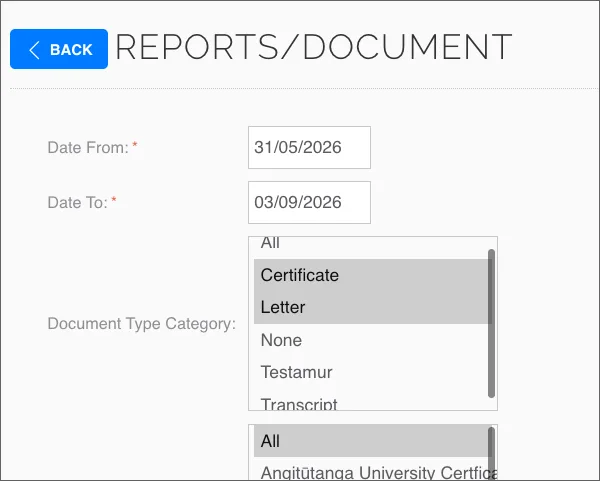
Filtering using document type category in reports
Reports can now be generated by selecting one or more Document Categories, eliminating the need to select individual document types, when reporting on like documents. As each document type can be associated with a category, users can now report on multiple categories of documents in a single selection. This enhancement simplifies report generation and improves overall reporting efficiency.
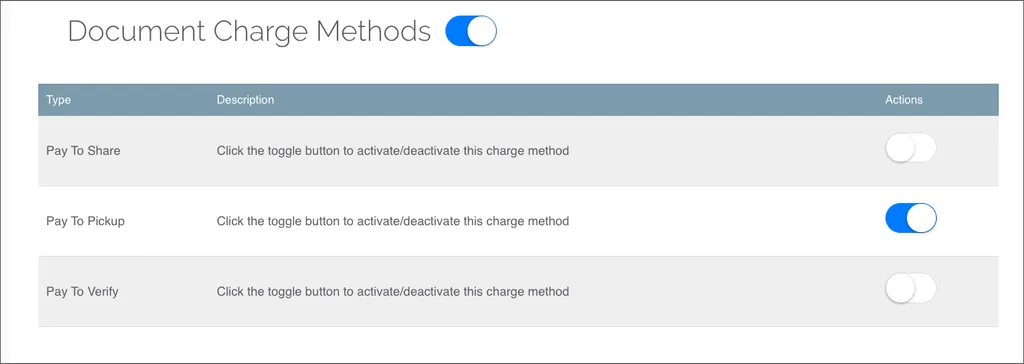
Document charge methods toggle
Supported charge methods are now behind a managed toggle during institutional onboarding and document type configuration. By removing charge methods not in use and streamlining form elements directly on the document issuance interface, this update enforces financial policy, reduces visual noise, and prevents operational errors during document issuance.
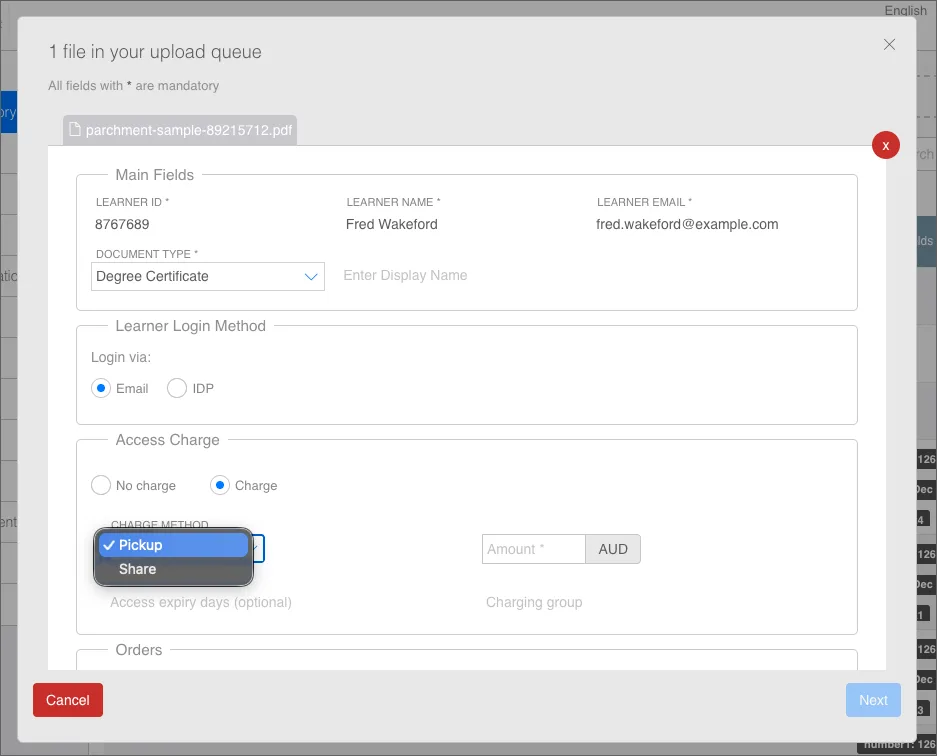
During document issuance, users will now only see the charge methods enabled for their institution. Previously, all available charge methods were displayed across institutions, which could result in unsupported or inappropriate charge methods being selected.
This addition ensures that users select only relevant and supported charge methods as well as reducing the clutter and distractions on the document issuance form.
Enhanced analytics
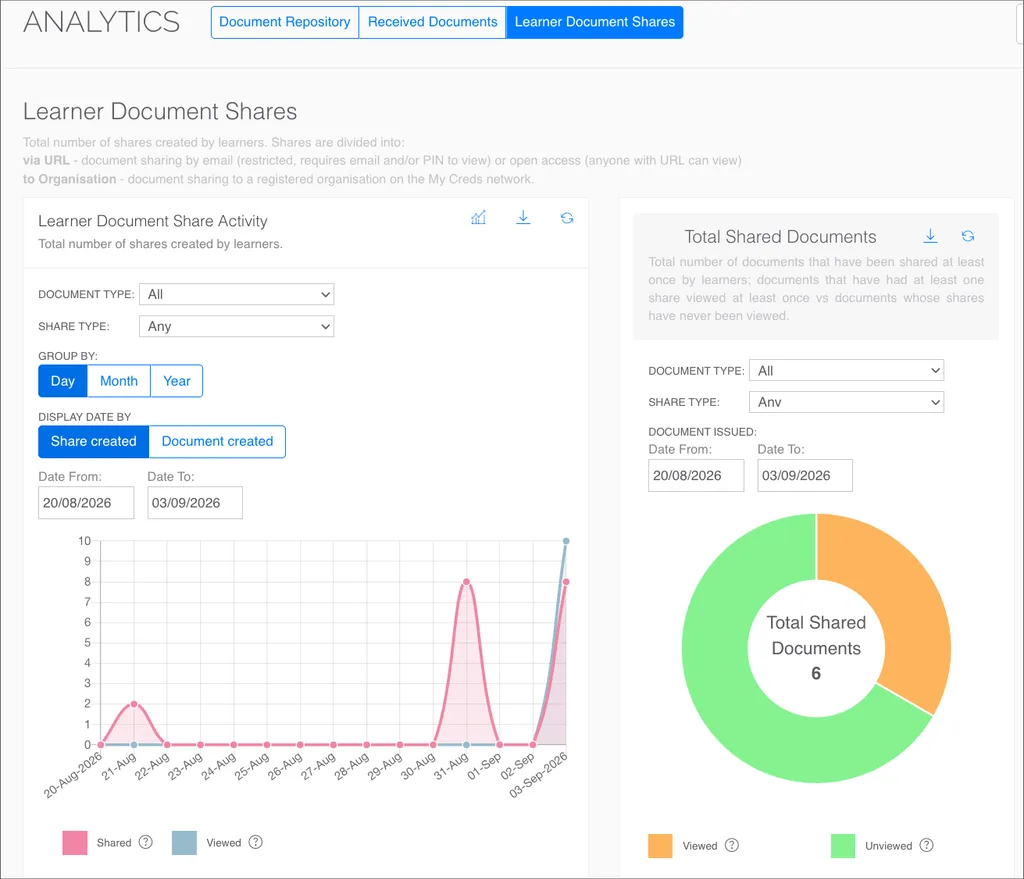
The analytics underlying the organisation portal now source directly from the specific event model, aligning all metrics across platform reports, the document repository, and individual analytics pages. This guarantees consistent, high-precision data cross-referencing throughout the platform, removing discrepancies when analysing document and learner activity.
Assigning uploaded documents to orders
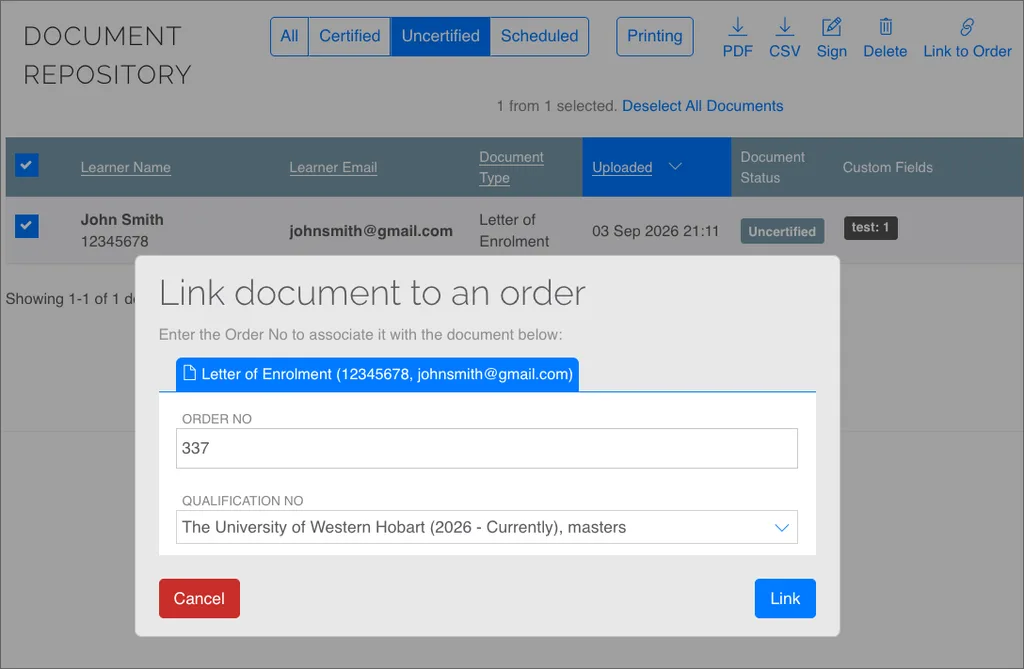
Issuers can now link multiple uncertified documents to an order in bulk, replacing the previous process of linking documents individually. To use this enhancement, users need to apply a Document Type filter or select documents that have orders enabled, select the relevant documents, and enter the order details to link them to orders placed by learners.
This enhancement enables institutions to process and link multiple documents to orders at once, reducing manual effort and improving the efficiency of bulk order processing.
Bulk share Reports
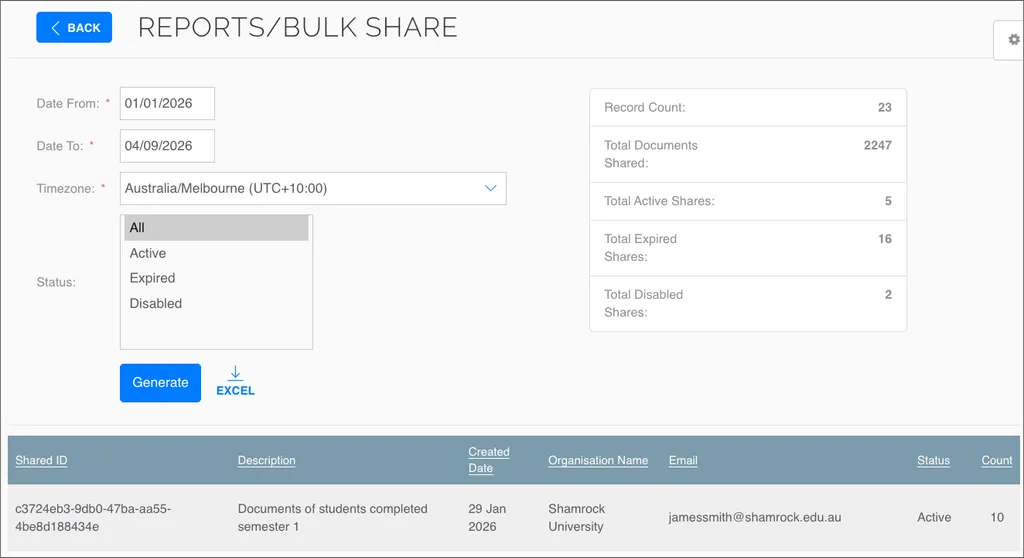
A new Bulk Share Report is now available, providing a centralised view of all bulk shares created. The report includes key information such as the Share ID, creation date, share details, as well as total number of documents included in each share. Users can export the complete report as a spreadsheet, making it easier to filter, analyse, and manage as a part of any further analysis.
Fixes
LinkedIn badge integration fix
Resolved a bug that caused badge preview rendering to fail when pasting a badge share URL into LinkedIn media sections such as on a personal profile. Badges now display correctly on learner profiles without issues.
Document advanced search
Fixed an issue in Documents advanced search where several date filters incorrectly evaluated full timestamps instead of whole dates, causing documents issued earlier on the selected day to be excluded from results. Filters like “Issued from,” “Original certified from,” and “Revoked from” now correctly evaluate the full date, ensuring all matching documents are included.
Leading zero MFA login issue
Fixed an issue where valid 6-digit authenticator codes starting with zero were rejected during MFA login. TOTP codes are now treated correctly, preserving leading zeros and ensuring all valid codes are accepted.
Address order formatting corrected
Resolved a layout bug in address printing and labeling where the postal code was displayed out of sequence. Addresses now follow the standard order: line 1, line 2, city, state/county, postal code, and country.
Learner document status sync corrected
Some email verification paths, such as Google account linking, could leave documents hidden in an unclaimed status when the verification process was not completed in the correct sequence. Issued documents will now always properly associate with the learner account and display correctly regardless of the verification route.
Further information
We recommend using the latest versions of Mozilla Firefox, Microsoft Edge, Google Chrome, or Safari, plus Android and iOS for mobile browsers.