Announcement: My eQuals has a new website! Learn more about it here.

Release Notes 2.6.3
Release 2.6.3 has been successfully deployed to your Production environment.
This release is focused on enhancements and fixes to the platform. These changes will not affect any existing features, functionality, or configurations except where specified.
Our ongoing focus on security
At the core of this release is our unwavering commitment to the security, integrity, and resilience of the platform. As part of our continuous security program, this update introduces robust enhancements across every layer of our ecosystem – spanning strict application-level logic, hardened infrastructure configurations, and advanced data protection mechanisms.
By proactively evaluating the network against modern threat vectors, refining our authorisation controls, and continuously modernising our foundational frameworks, we ensure that learner data remains robustly protected against evolving risks. These comprehensive security enhancements reflect our ongoing focus on delivering a trusted, industry-standard environment for all of our users and member institutions.
Key security highlights in this release include:
- Application Security: Upgraded foundational frameworks and implemented stricter user-input validation to eliminate client-side execution vulnerabilities.
- Infrastructure Hardening: Enhanced environment-wide rate limiting, optimised Web Application Firewall (WAF) policies, and updated security headers to mitigate automated traffic and discovery attacks.
- Data & Protocol Integrity: Enforced stronger transport-layer security and enhanced cryptographic protections to safeguard data both in transit and at rest.
Enhancements:
Enhancements for the Learner Portal
New document status for Learners
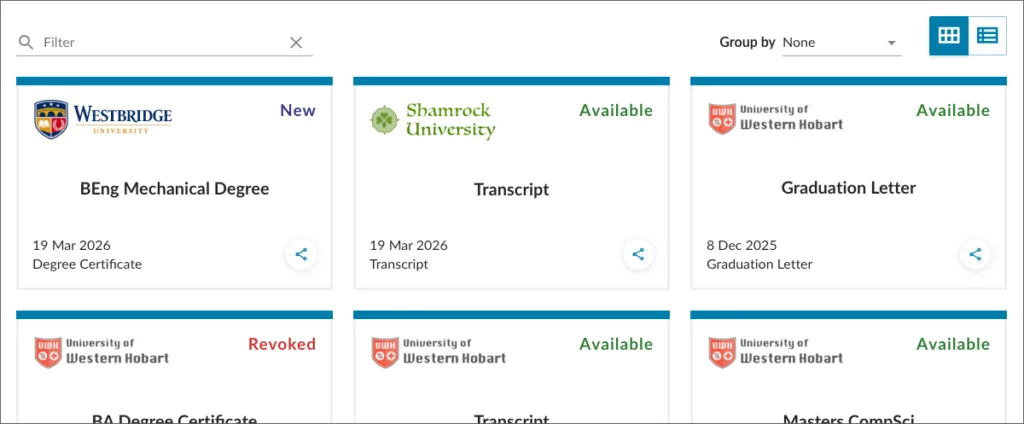
The platform has introduced a new default status of “New” for newly issued credentials within the Learner Portal. Previously, an issued credential was automatically marked as accessed or claimed the moment a learner logged in and viewed their documents list. This update ensures that credentials remain in a “New” status until the learner explicitly clicks to view the specific document for the first time. By visually isolating unread credentials, this learner-centric adjustment provides clear guidance on what requires immediate attention while giving learners better clarity and data sovereignty over their document history.
Credential achievement celebration
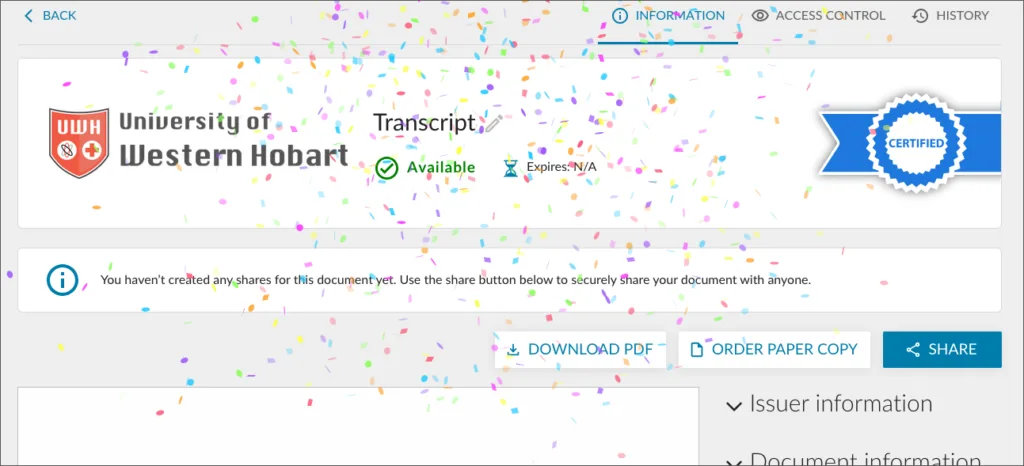
Building on the introduction of the “New” document status, the learner portal now triggers a visual confetti animation when a learner opens a newly issued credential for the first time. This feature provides immediate, positive reinforcement of the learner’s milestone, enhancing engagement during a critical touchpoint in their academic or professional journey. By delivering an elevated, learner-centric user experience that validates their hard work, the platform ensures that the formal receipt of verified credentials is both clear and distinctly acknowledged.
Dynamic share reactivation
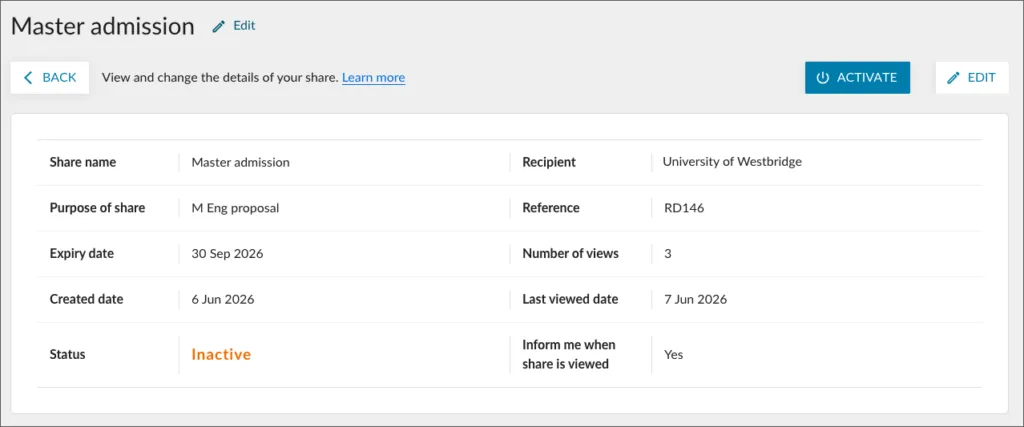
When a learner reactivates a previously disabled document share with an organisation, the platform now automatically evaluates the credential status and presents the recipient with the most recent version. Previously, reactivating a paused share would display the historic state of the document from when the share was originally configured, requiring manual intervention if updates had occurred. This enhancement preserves absolute data integrity and ensures that receiving organisations always review current information, upholding data sovereignty for learners while eliminating the need to create redundant new shares.
Enhancements for the Organisation Portal
Mandated administrative MFA
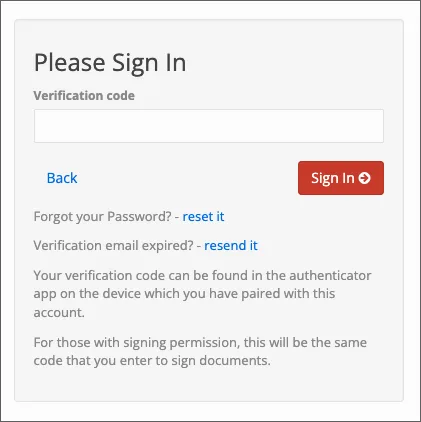
To strengthen infrastructure security, multi-factor authentication (MFA) is now strictly enforced for all institutional administrators logging in without an active Single Sign-On (SSO) integration. Affected users must configure a time-based one-time password (TOTP) device upon their next login. This protocol shields privileged accounts from credential-based vulnerabilities and unauthorised access, ensuring all institutions meet modern security benchmarks to preserve the integrity of their portals.
Receiver Downloads
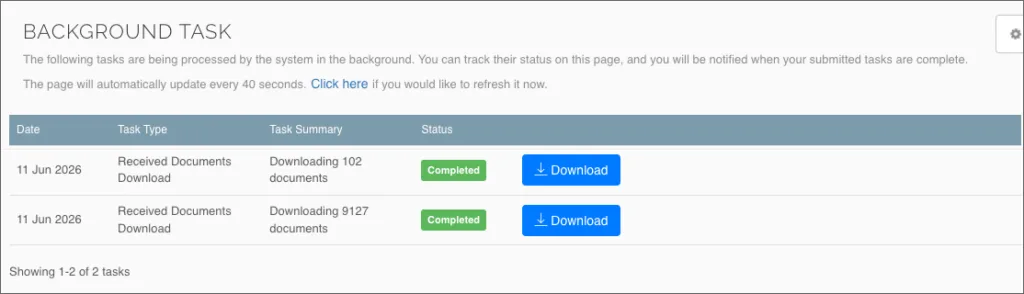
To ensure optimal platform performance, the process for downloading large-volume document CSV files from the Receiver Inbox now runs as an asynchronous background task. Previously, generating extensive data exports could temporarily impact system responsiveness, requiring users to wait for the compilation to complete. This infrastructure update enables receivers and issuers to continue navigating the platform without interruption or processing delays while their files compile securely in the background.
Localised Report Timezones
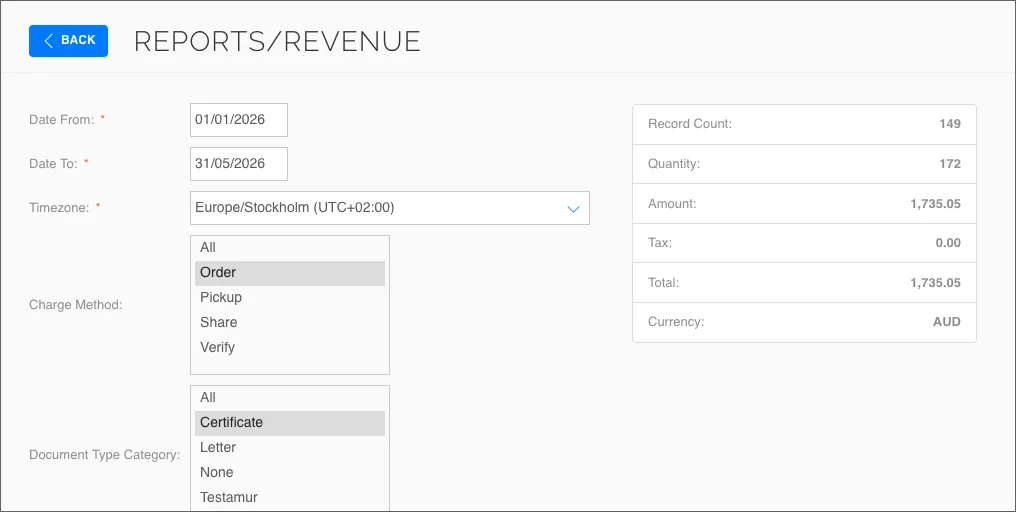
To improve data accuracy and administrative utility, platform reports including Share Credit and Revenue reports now include a timezone filter, allowing operational users to generate and view report data in their local time instead of the default UTC standard. The filter automatically defaults to the user’s registered region while remaining fully adjustable to other timezones if required. Once selected, both the start/end date parameters and all output timestamps adapt to the chosen timezone, providing users with precise, contextually relevant reporting that aligns with local operational dates.
Bulk badge permission confirmation
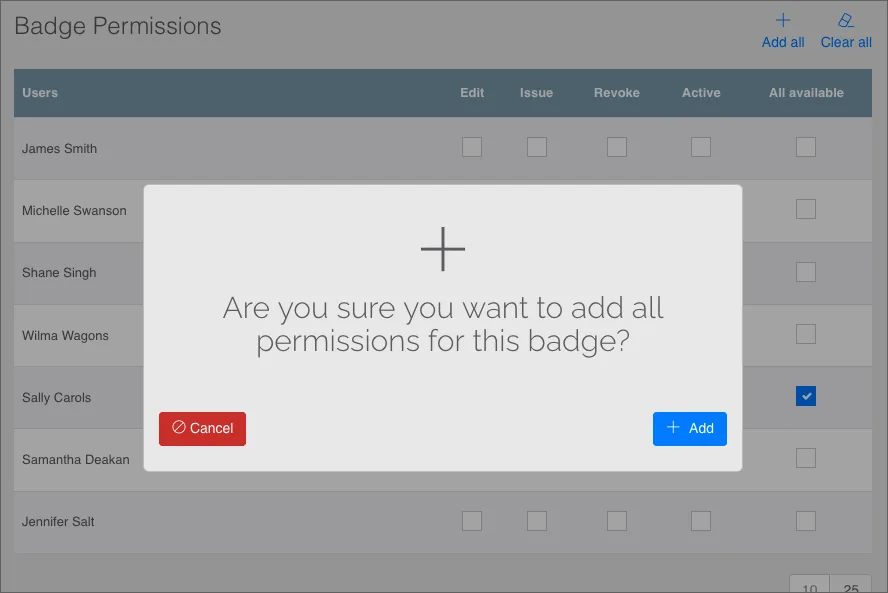
To safeguard administrative workflows, the platform now displays a confirmation dialog before applying or removing bulk access permissions for badges. Previously, selecting the “Add all” or “Clear all” action executed the change immediately without a cancellation option, which could lead to accidental modifications across multi-page user lists. This update prevents unintended permission overwrites, allowing administrators to confirm or cancel the action before any structural changes are applied to user access controls.
Fixes
Character Validation Resolution
Input field validation within order forms has been corrected to prevent the entry of unsupported special characters and emojis. Standard character-set restrictions are now uniformly enforced, ensuring data consistency and strict compliance with order processing requirements.
Apple Wallet Duplicate Prevention
An issue has been resolved where learners could add the same credential badge to Apple Wallet multiple times. The platform now correctly evaluates existing wallet states and alerts the learner if the selected badge has already been provisioned.
Character Localisation Resolution
An issue has been resolved where learners experienced errors when attempting to update their document display names using some non-alphanumeric character sets, including Japanese characters. The input validation architecture has been updated to better support multi-byte Unicode characters, restoring the ability for learners to accurately personalise their document metadata regardless of their preferred language.
Document Export Integrity
An issue has been resolved where generating a CSV data export from the Organisation Portal document repository would fail if any extracted record referenced an invalid or malformed upload user identifier. This has been updated to handle missing or invalid user metadata gracefully, ensuring complete data compilation and uninterrupted file generation regardless of individual user record status.
Email notifications to Learners
As part of our ongoing process to improve the user experience for Learners we will continue to tune our email templates so that they read well and display well across different browsers and email clients.
Further information
We recommend using the latest versions of Mozilla Firefox, Microsoft Edge, Google Chrome, or Safari, plus Android and iOS for mobile browsers.